Tool features
Where the rip rap calculator stops before engineering begins
The rip rap calculator measures a selected layer across the actual slope face and exposes placement, density, waste, and truck assumptions without choosing rock size or protection design.
Slope-face geometry
Use the measured face length rather than horizontal run so inclined surface area is not understated.
Developed slope measurement
Use distance along the protected face rather than substituting the shorter horizontal plan run.
Stone size remains an input
Compare supplied nominal size with layer depth without deriving a hydraulic recommendation.
Irregular placement factor
Expose loose yield between nominal geometric volume and field placement before extra material is added.
Specified density and trucks
Convert the selected blend into rounded weight and load count using supplier and hauling values.
Quantity-only pricing
Apply rock and delivery costs without implying that the calculator designed protection performance.
What changes the result
Riprap quantity begins after size and extent are designed
Riprap protection follows the actual inclined face. Multiplying horizontal plan area by thickness can understate volume, so this calculator asks for the measured slope length and protected width.
Nominal rock size is used only to show approximate layer depth in stone diameters. The calculator never turns flow or slope inputs into a recommended stone size; it reports quantity for a layer already selected.
Use the rip rap calculator only after a responsible design identifies protected limits, gradation, nominal size, thickness, filter, toe, and stability requirements.
What the placement factor means
Irregular rock, bedding, and field placement can change how much loose volume is needed for a nominal finished layer. The editable factor keeps that allowance separate from extra material.
Why this is not a sizing calculator
FHWA HEC-11 discusses erosion, flow, gradation, layer thickness, filter, toe, and failure modes. Those design choices cannot be replaced by a volume form.


Reference data
Riprap quantity inputs and design boundaries
The calculator quantifies a selected layer; the responsible design must establish stone gradation, extent, thickness, toe, and filter requirements.
Quantity inputs
not design outputs
The FHWA source below is archived design guidance. It is cited to make the calculator’s engineering boundary explicit, not to produce a design recommendation.
Slope-layer quantity chain
visible from input to purchase
Retain the rip rap calculator inputs: measured face dimensions, designed thickness, selected gradation, placement factor, supplier density, and truck capacity.
Why it matters
Riprap tonnage is the last step, not the design
Inclined area
Measure along the slope rather than using horizontal run.
Placement factor
Adjust loose yield independently from the separate extra percentage.
No hydraulic selection
Nominal rock size is never calculated from flow by this tool.
A copied riprap estimate should travel with the design thickness, gradation, supplier density, protected limits, filter detail, and delivery constraints.
Where it fits
Where a slope-face quantity is useful
Use the calculator only after a competent design or maintenance plan defines the protected face and rock layer.
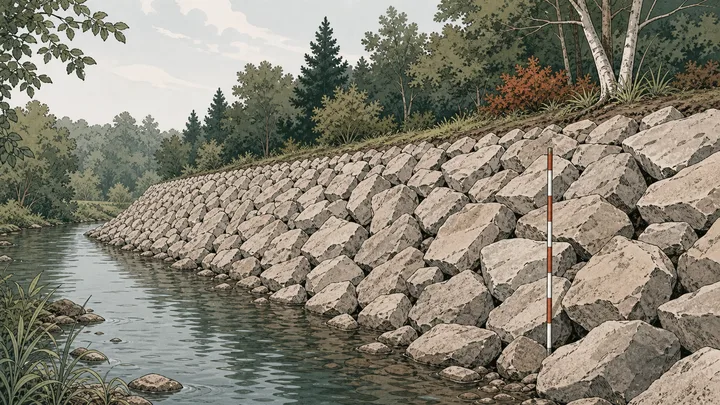
Bank protection quantity
Measure the designed face and thickness without inferring erosion resistance.
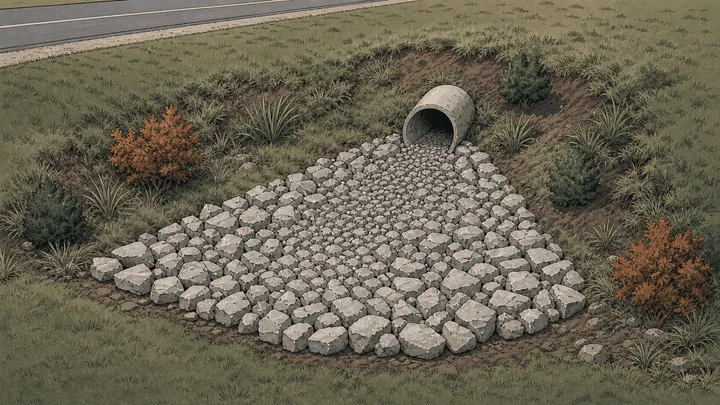
Outlet apron quantity
Enter the developed protected area after geometry and stone size are selected.
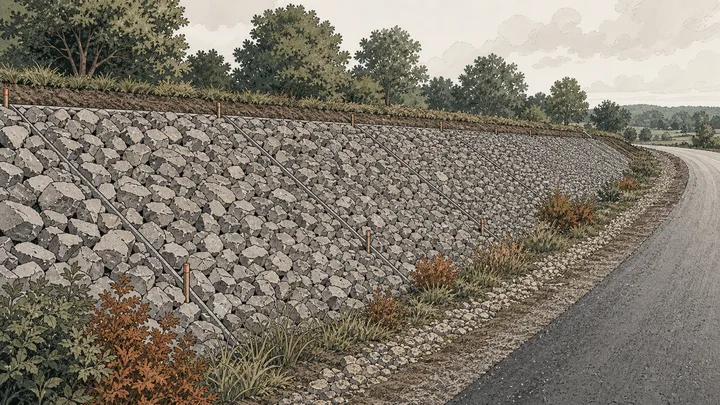
Embankment cover
Use face length and width for each slope panel with a consistent layer.

Riprap repair section
Calculate a defined replacement area and keep existing sound rock outside the total.
Method
Turn a designed slope-face layer into delivered tonnage
The rip rap calculator multiplies measured face area by the supplied layer thickness, then applies placement yield, bulk density, extra material, truck capacity, and order rounding.
Measure the protected face
Use distance along the slope and the protected width, splitting panels when geometry changes.
Enter designed rock inputs
Supply layer thickness, nominal stone size, bulk density, and an explicit placement factor.
Plan the delivered weight
Apply extra material, supplier rounding, truck capacity, and local price after volume is established.
Live worked example — waiting on your inputs
Calculate the face and the rip rap calculator will display protected area, nominal layer volume, placement-adjusted volume, exact weight, buffered order, and truckloads.
FAQ
Rip rap calculator questions about slope quantity and limits
The rip rap calculator FAQ explains slope length, designed thickness, placement factor, tons per yard, nominal size, and why hydraulic sizing is excluded.
How much riprap do I need?
Enter the measured slope-face length, protected width, and designed layer thickness. The rip rap calculator applies placement and extra-material factors, converts volume with bulk density, and rounds the tonnage for ordering.
Does the rip rap calculator size the rock?
No. Nominal stone size is an input used only to compare layer thickness with approximate stone diameters. Flow, erosion, gradation, toe, filter, and stability require engineering design.
Should I use horizontal length or slope length?
Use the actual measured length along the protected slope face. Horizontal run can understate the surface area and therefore the volume of a layer placed on an incline.
What is the riprap placement factor?
It is an editable multiplier between the nominal geometric layer and loose purchase volume. It exposes irregular placement or yield assumptions separately from the extra-material percentage.
How many tons are in a cubic yard of riprap?
There is no fixed value because rock size, gradation, voids, moisture, and source vary. Use the supplier’s bulk density for the specified blend rather than particle specific gravity.
Calculation references and review
The rip rap calculator cites archived FHWA HEC-11 to document the hydraulic and stability variables that lie beyond a quantity form. Its calculation is limited to slope-layer geometry and procurement conversion.
- FHWA HEC-11 — Design of Riprap Revetment
- ASTM C29/C29M-23 — bulk density and voids in aggregate
- NIST SP 811 Appendix B.9 — conversion factors by quantity
Reviewed by the gravelcalculator.app editorial team on . Review scope: unique project logic, geometry, unit factors, bulk-density language, purchasing assumptions, interface labels, and calculation boundaries.