Tool features
How the decomposed granite calculator separates DG systems
The decomposed granite calculator keeps natural fines, stabilized blends, and aggregate for bound systems distinct so one convenient preset does not silently stand in for every DG product.
DG product types
Switch among natural, stabilized, resin-bound aggregate, and a custom supplier value without treating them as identical.
Curved-path sections
Assemble bends from measured shapes so the widest point does not inflate the entire DG run.
DG-specific supply density
Keep natural fines, stabilized material, and aggregate for bound systems on separate editable values.
Structural base excluded
The result covers the entered DG finish and leaves an underlying road-base course for its own takeoff.
Small bags or bulk yardage
Compare the local package label with a rounded yard or weight order for the same surface course.
Product-system pricing
Use the actual DG quote and delivery charge without pricing binder, edging, or installation by accident.
What changes the result
DG type and compaction change the order
Decomposed granite is sold as loose natural fines, stabilized blends, and aggregate intended for bound systems. Those products may look related but do not share one guaranteed bulk density or installation method.
The decomposed granite calculator measures only the DG layer you enter. If the project also uses road base below it, calculate and order that layer separately so densities, prices, and waste allowances do not get blended.
Use the decomposed granite calculator for the visible DG course, then carry any structural aggregate beneath it as a separate material with its own depth, density, waste, and price.
Natural versus stabilized DG
A stabilizer can affect handling and installation, while the aggregate grading still varies by source. Use the supplier’s product data and do not assume the preset is a specification.
Keep the base out of the DG total
Enter the finished DG surface depth here. A compacted aggregate base underneath belongs in the road-base or paver-base calculation.



Reference data
Decomposed granite depth and density reference
Presets help with an early takeoff; the quote and installation detail should control the final inputs.
Planning presets
surface layer only
Do not use a surface-course preset to design subgrade, drainage, edging, accessibility, or load capacity.
DG estimate sequence
visible from input to purchase
Keep the DG product system, surface-course thickness, underlying base exclusion, and supplier package size with the copied estimate.
Why it matters
A DG quote should identify more than “granite”
Product system
Natural and stabilized materials should not share an assumed density.
Edge allowance
Curves, grading, spillage, and final trimming can consume material.
Separate layers
Price and order the structural base independently from the DG finish.
Copy the result with its product, density, finished depth, compaction factor, and rounding assumption before requesting a quote.
Where it fits
Common DG quantity checks
The calculator covers the material takeoff while leaving structural and product-system decisions visible for confirmation.
Garden path
Measure curves as several shapes and keep the planned compacted surface depth explicit.
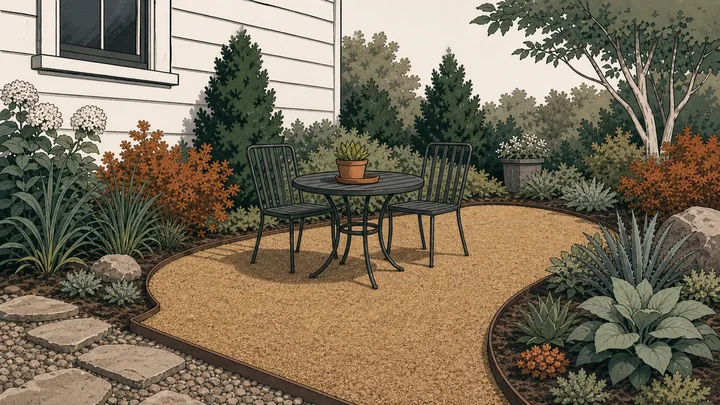
Informal patio
Estimate the DG finish separately from any aggregate sub-base and edging.
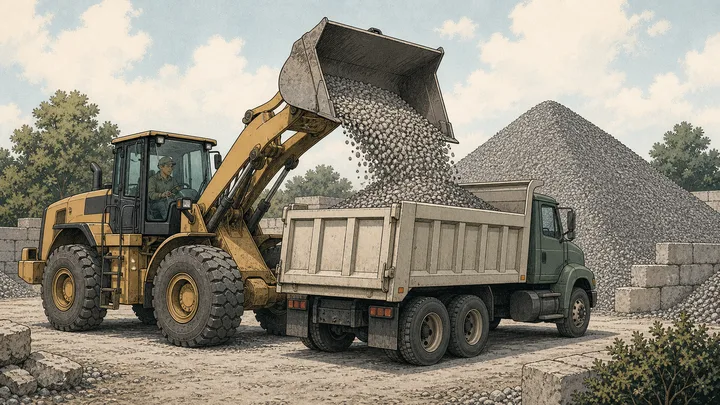
Bulk delivery
Round yards or tons to the supplier increment and add the actual delivery charge.

Small landscape area
Use the label weight to compare whole bags with a small bulk purchase.
Method
Measure the DG finish without absorbing the base below it
The decomposed granite calculator converts the selected surface course into loose yards or tonnes while preserving the chosen product type and compaction assumption.
Trace the finished DG surface
Measure only the area that receives decomposed granite and split curves into practical sections.
Choose the supplied DG system
Select natural, stabilized, resin-system aggregate, or a custom product and enter its finished course depth.
Order the surface independently
Apply its own compaction, loose density, edge allowance, package size, and merchant rounding without including the base.
Live worked example — waiting on your inputs
Once dimensions are valid, the decomposed granite calculator will show the DG footprint, surface volume, compaction adjustment, package counts, and quote-ready rounded amount.
FAQ
Decomposed granite calculator questions before buying DG
Use these decomposed granite calculator answers to check product type, curves, separate base material, supplier density, bags, and cost inputs.
How much decomposed granite do I need?
Measure the DG-covered area, choose the finished surface depth, and select the natural or stabilized product. The decomposed granite calculator adjusts for compaction and extra material before converting to a rounded order.
Does stabilized decomposed granite use the same density?
Not necessarily. Binder, moisture, quarry source, and grading can change the bulk density. Use the stabilized preset for planning only and replace it with the product data supplied locally.
Can this calculate a curved DG path?
Yes. Break the path into rectangles, circles, rings, or known-area sections and add them. Use a cautious allowance where irregular edges or excavation make the measured footprint uncertain.
Does the DG estimate include road base underneath?
No. The decomposed granite calculator measures the DG surface course only. Calculate a structural aggregate base separately so its depth, density, compaction, and price remain independent.
How should I allow for curved DG edges?
Measure bends as several shapes or enter a surveyed known area. Use the extra-material field for trimming and uncertain edges rather than increasing every dimension.
Calculation references and review
The decomposed granite calculator uses standard geometry and NIST unit conversions, with bulk density left editable because ASTM aggregate methods do not establish a single purchasing weight for natural or stabilized DG products.
- ASTM C29/C29M-23 — bulk density and voids in aggregate
- ASTM C127 — relative density and absorption of coarse aggregate
- NIST SP 811 Appendix B.9 — conversion factors by quantity
Reviewed by the gravelcalculator.app editorial team on . Review scope: unique project logic, geometry, unit factors, bulk-density language, purchasing assumptions, interface labels, and calculation boundaries.