Tool features
Why the paver base calculator returns four separate takeoffs
The paver base calculator treats compacted aggregate, bedding sand, paver units, and joint sand as different purchases with different formulas and waste assumptions.
Four independent outputs
Base aggregate, bedding sand, paver units, and joint sand use separate formulas instead of one combined material volume.
Finished paving shapes
Combine patios, walks, circles, rings, and repair patches before assigning the selected layer build-up.
Base and bedding densities
Give compacted aggregate and bedding sand their own products, loose factors, bags, and prices.
Face-area paver count
Turn nominal unit length and width into whole pieces with a separate cut-and-breakage allowance.
Editable joint-sand rate
Use package coverage for the chosen joint product instead of folding it into bedding volume.
Four supplier line items
Review base, bedding, pavers, and joint material independently before comparing total project cost.
What changes the result
A paver project is a stack of unlike materials
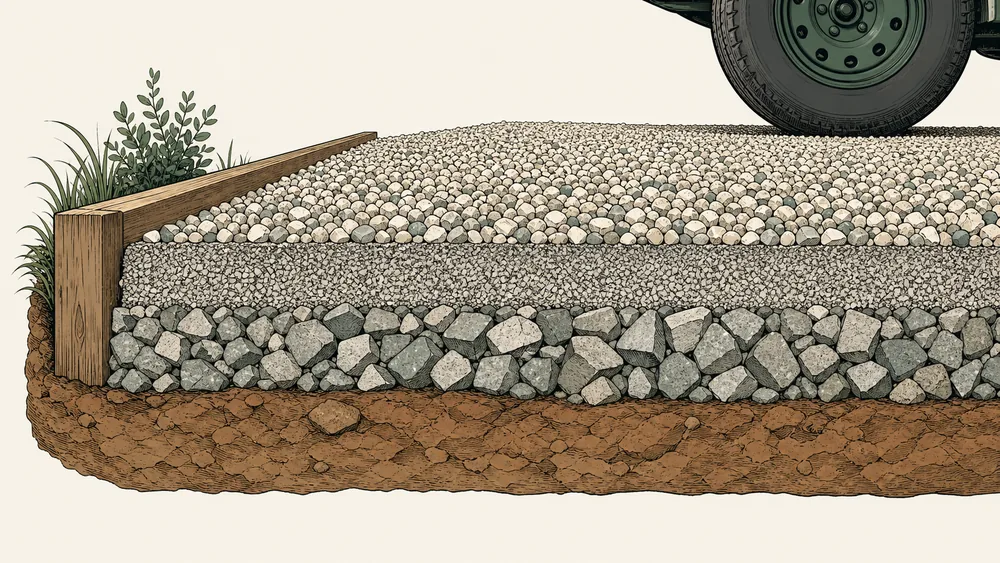
The compacted aggregate base and thin bedding layer have different depths, densities, and compaction behavior. Paver count comes from unit face dimensions, while joint sand is estimated by an editable area rate.
The paver base calculator keeps those quantities separate so the result can be compared with four supplier line items rather than one ambiguous “patio material” total.
Use the paver base calculator with the chosen paving system in hand; the quantity model can keep layers separate but cannot select excavation, drainage, edge restraint, or structural thickness.
Paver count uses face area
Enter the nominal paver length and width. The tool divides the project area by one paver face and rounds up after applying a separate paver waste percentage.
Joint sand is a planning rate
Joint width, depth, pattern, and product affect real consumption. Replace the kg/m² or lb/ft² input with the package coverage for the chosen system.


Reference data
Paver layer and unit reference
The values clarify calculator inputs only; use the selected paver system and project design for construction requirements.
Four takeoff lines
calculated independently
Do not add bedding and base depths together under one density; that would misstate both weight and purchasing units.
Paver takeoff chain
visible from input to purchase
Audit the paver base calculator inputs for base, bedding, paver face size, unit waste, and joint-sand coverage as four separate purchasing assumptions.
Why it matters
Four outputs should become four supplier checks
Compacted aggregate
Uses a loose-volume factor and base-product density.
Bedding layer
Uses its own depth, sand density, and package conversion.
Paver units
Rounds face-area coverage and waste to a whole-unit count.
Enter local prices only after matching each result to the supplier’s sales unit and package coverage.
Where it fits
Paver projects with the same layered takeoff
The project geometry may change, but the base, bedding, surface units, and joint material should remain distinct.

Paver patio
Estimate a rectangle or combined sections and keep curves in the paver waste input.

Paver walkway
Use the measured run and finished width rather than excavation width.
Vehicular pavers
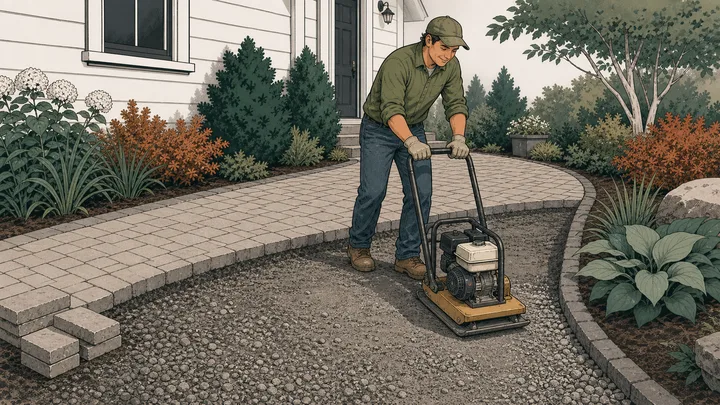
Enter project-selected layers; this calculator does not design their thickness.
Paver repair area
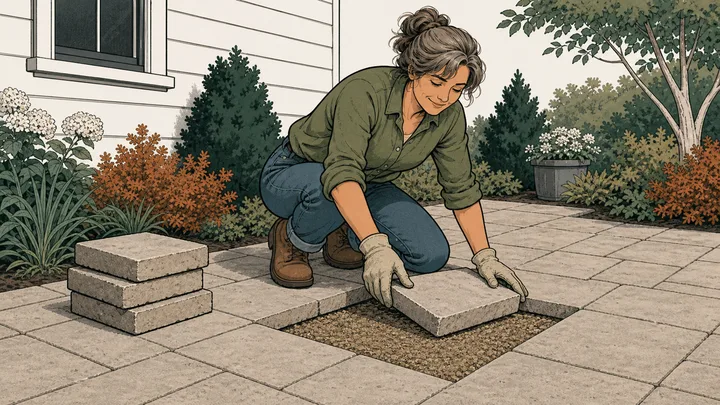
Use a known square area, whole-unit count, and package rates for a smaller takeoff.
Method
Take off the base, bedding, pavers, and joints independently
The paver base calculator applies the finished footprint to two volume layers, a unit face-area count, and an editable joint-sand coverage rate without merging them.
Measure the paved footprint
Enter finished length and width or total known area, excluding borders that use another system.
Define every layer
Set base and bedding depths, products, densities, compaction factors, and local bag sizes separately.
Count the surface materials
Enter paver face dimensions, unit waste, and joint-sand coverage before comparing rounded orders.
Live worked example — waiting on your inputs
Calculate the paved area and the paver base calculator will show base weight, bedding weight, whole pavers, joint-sand quantity, package rounding, and optional line-item cost.
FAQ
Paver base calculator questions about the four material lines
The paver base calculator FAQ covers layer depth, bedding, paver count, circular areas, joint sand, compaction, and project-design boundaries.
How much paver base do I need?
Enter the finished paved area and the selected compacted base depth. The paver base calculator applies the base loose-volume factor and density, then reports a rounded base order separately from bedding sand.
Does the calculator include paver sand?
Yes. Bedding sand has its own depth, density, compaction factor, bag conversion, and price. Joint sand is a separate area-rate output and is not combined with the bedding volume.
How many pavers do I need?
Enter one paver’s face length and width. The tool divides the project area by that face area, adds the editable paver waste percentage, and rounds up to whole units.
Can I calculate a circular paver patio?
Yes. Choose Circle and enter the finished diameter. The same area control accepts rectangles, rings, triangles, trapezoids, known areas, and multiple sections; keep the paver waste input high enough for cuts and pattern.
Does this choose the correct paver base depth?
No. The depth presets are quantity starting points only. Soil, drainage, freeze-thaw conditions, traffic, paver system, and local standards determine the actual layer design.
Calculation references and review
The paver base calculator uses prism geometry for base and bedding, face-area division for unit count, an editable area rate for joint sand, and explicit NIST conversions. Construction details remain user-selected inputs.
- ASTM C29/C29M-23 — bulk density and voids in aggregate
- ASTM C127 — relative density and absorption of coarse aggregate
- NIST SP 811 Appendix B.9 — conversion factors by quantity
Reviewed by the gravelcalculator.app editorial team on . Review scope: unique project logic, geometry, unit factors, bulk-density language, purchasing assumptions, interface labels, and calculation boundaries.